Push Notifications
Sending Firebase Notifications
Learn how to send push notifications from Firebase Console
Push Notifications
Sending Push Message from Firebase
Steps to Send Notifications
- First of all, Login to Firebase Console
- Select your Project
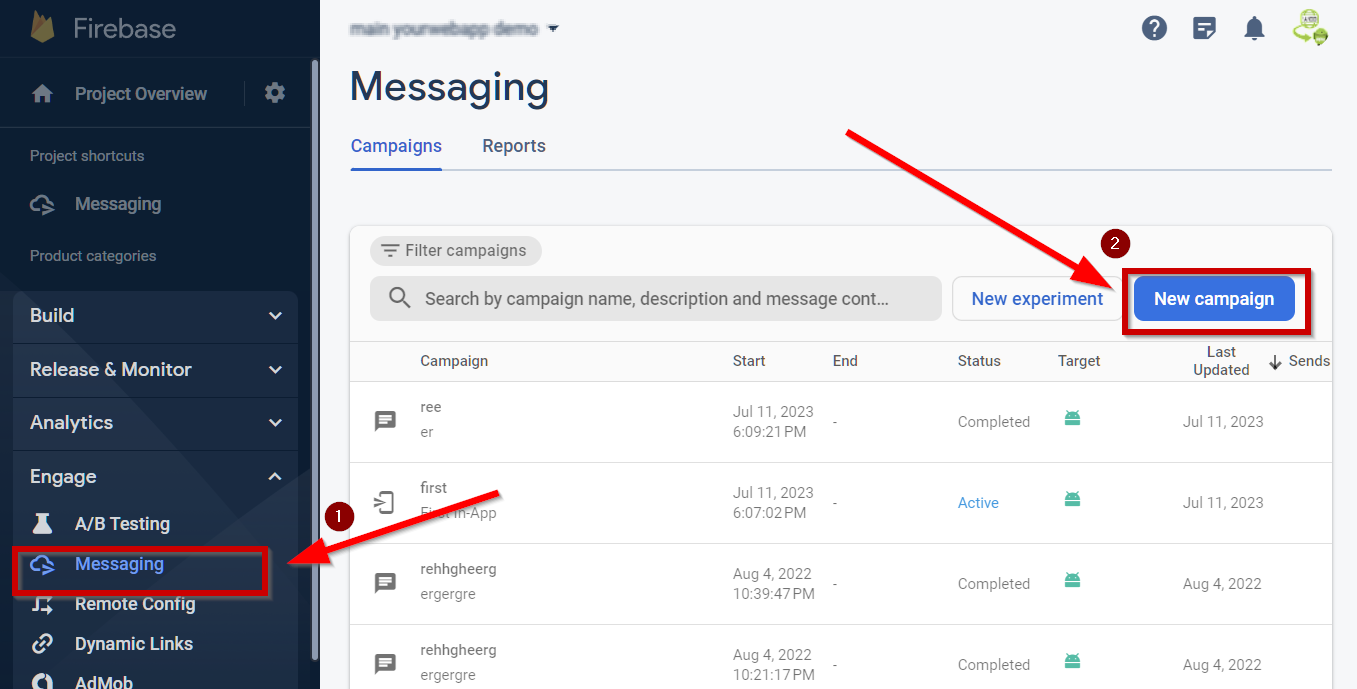
- Click “Messaging” as shown in (1)
- Click “New Campaign” as shown in (2)
- Select “Notification”
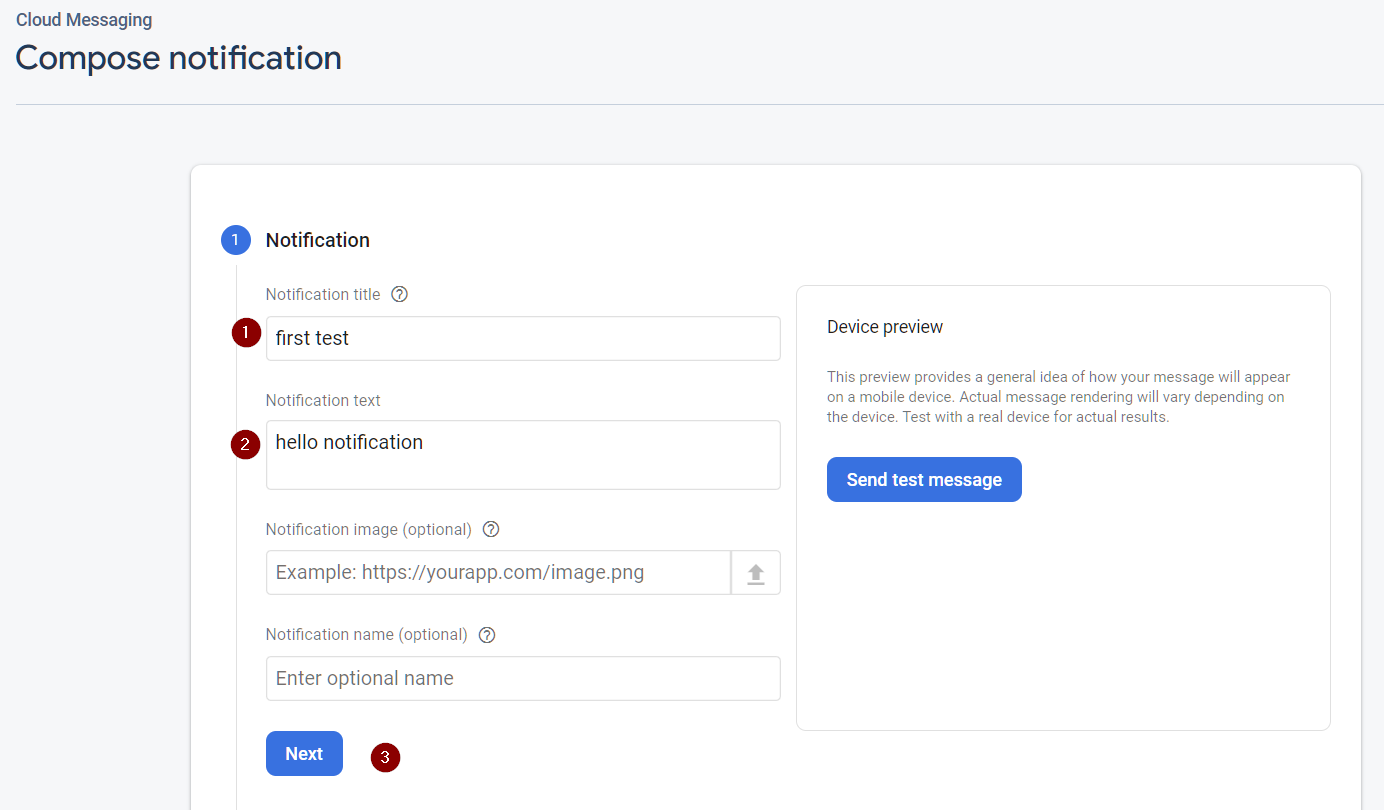
Fill in the details
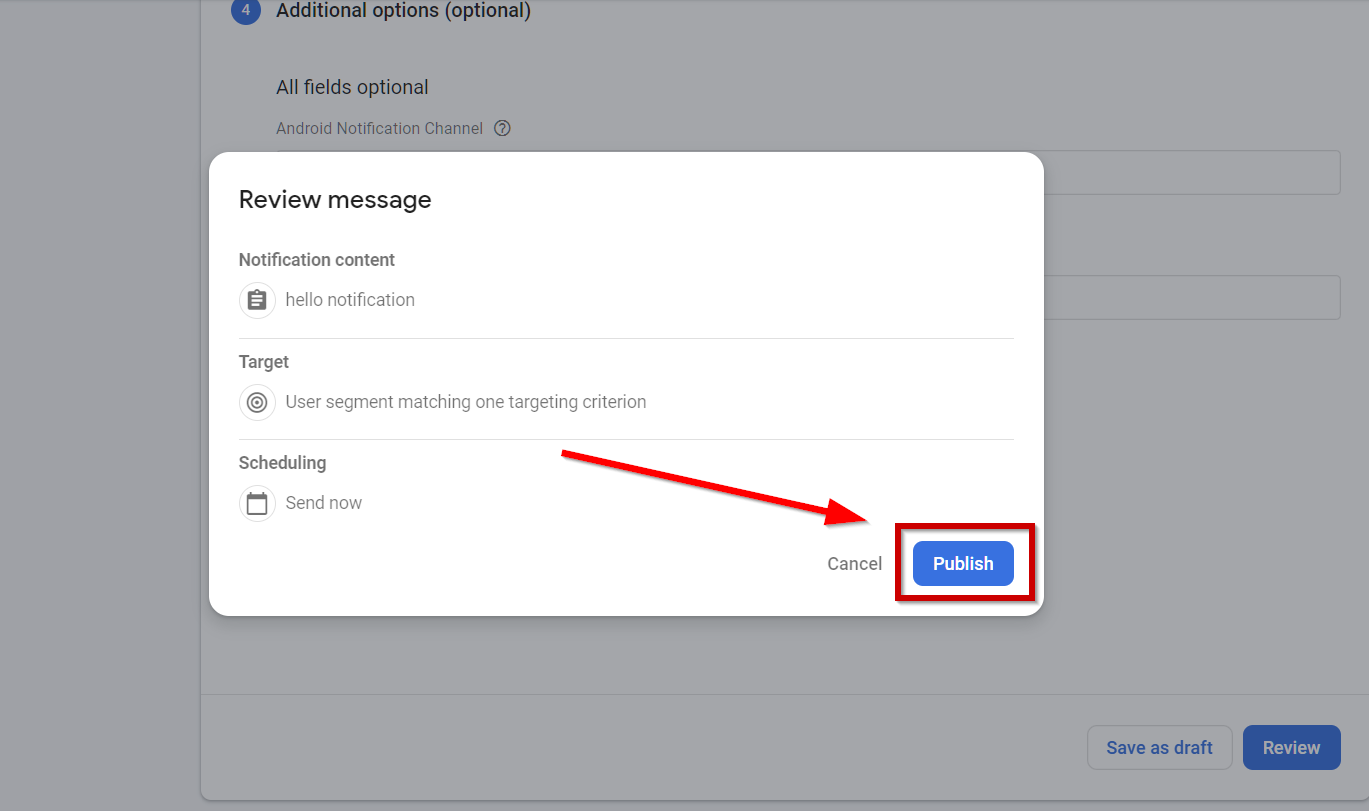
Finally, Send it!